|
Answer» I have an Acer Aspire e5 575g 794q laptop
BIOS Insyde20 v1.47 5.0
I do not have any advance settings on my BIOS.
The ADVANCED TAB is hidden.
I spent over 20 hours looking for how to unlock these settings but failed.
I tried all the options I knew (3xtab + fn) or (press A) but nothing.
I updated the latest BIOS to my IRONMAN_SK motherboard list.
I've been thinking of taking chances and TRYING some suspicious videos, I'm so desperate already.
Believe me, if there was one forum about it, I read it, but I'm still out of results.
I really need these advanced settings but I don't know any way to get to them. I know they are there but they are locked by the manufacturer.
Please help me to cooperate as much as possible, if necessary I will send you pictures of everything you need.
Thank u, need your help sa soon sa posible.
I can donate a few bucks if you take this seriously
Do yopu have the manual?
Is this it?
https://www.usermanuals.tech/d/acer-aspire-e5-user-manual/part1
Laptops vary a lot is some important details.Why did you flash the BIOS ? ?this is my specific laptop
https://www.acer.com/ac/en/US/content/support-product/6737?b=1&pn=NX.GDZEX.038
no it isnt e15, its e5
I'm sorry you waited too long
.....
patio i dont know what u thinking with flash the BIOS, i am not super pro about it.
......
look i know how to get in bios with F2 that works simply... but advanced options is locked
i can SHOW u on example:
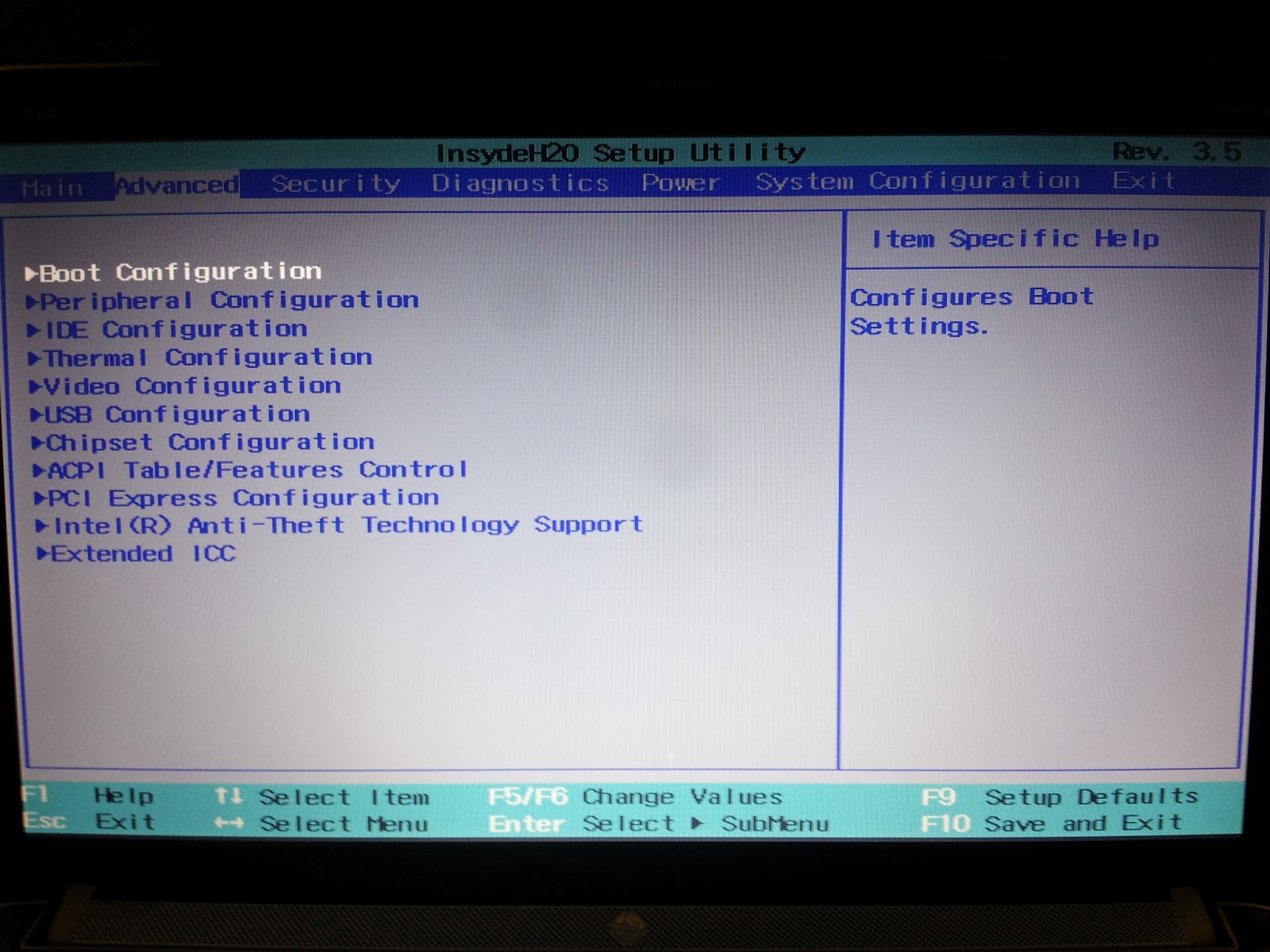
this is unlock bios
http://2.bp.blogspot.com/-lJQ5hC0pJBc/UXLKmMB9LXI/AAAAAAAAAR4/eGHeTUm7LgM/s1600/IMG_20130420_101457.jpg
this bios dont have advanced
https://us.v-cdn.net/6029997/uploads/migration/12726iBA0206F4F54732F1.jpg
it isnt the same BIOS but i hope that u understund
i am just install lates VERSION for this motherboard.
all what i need is advanced setting...
I suggest you contact ACER directly." patio i dont know what u thinking with flash the BIOS, i am not super pro about it. "
This tells me you should have left it alone...it may very well be the wrong BIOS
|