|
Answer» System: Windows 2000 Pro 5.00.2195 Service Pack 4
Computer: Toshiba Portege 7020CT
Ram: 196,016 KB
Hard Drive - 6GB
Sound Card: ESS Maestro PCI for Toshiba Laptop
Video Card: NeoMagic MagicGraph256AV driver
Alright so I'm having a problem with my colors and screen, it's like all the backgrounds of websites are white, and I've noticed all my programs were more ROUNDED before and now they are more squared...
So I was running iTunes, Firefox, and a couple IM programs, I was bored and looking through my start menu when I found MAGNIFIER. I opened it up to see what it was and the program froze up my WHOLE computer, I opened Task manager to end it and that's when the problem happened. All of a sudden all my Icons and screen were HUGE and the appearance scheme was changed. I finally switched it to something that looked more normal (I changed the scheme to Windows Classic) and messed around with the color settings (it's now set at True Color 24 bit. I'm not sure what it was set to before) Screen resolution is at 1024x768.
Basically what I would like help with is to get everything back to normal, all the colors seem to be off, I first noticed the problem on Firefox with web pages' colors off, it's like all the backgrounds are white, i updated to the most RECENT version of Firefox and have had no luck. I've changed display properties, colors, color schemes, restarted, tried everything....I must be missing something...So any help would be greatly appreciated!
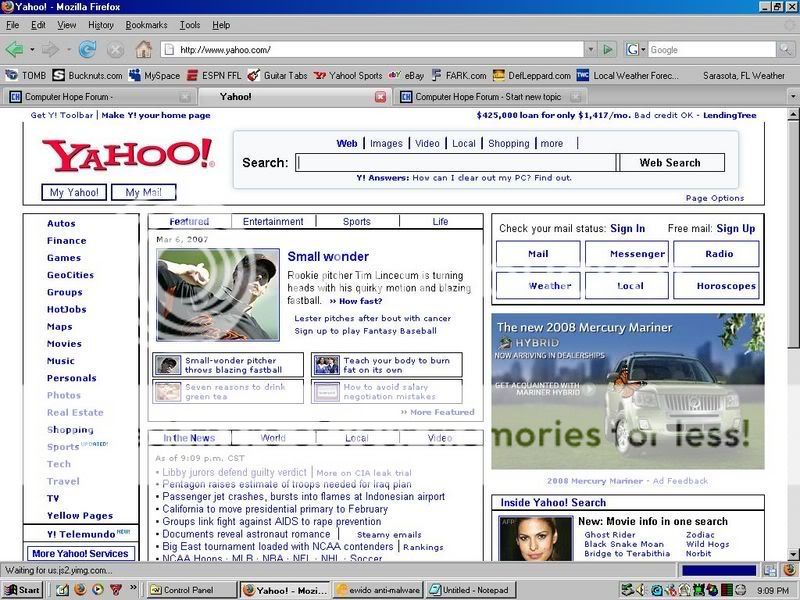
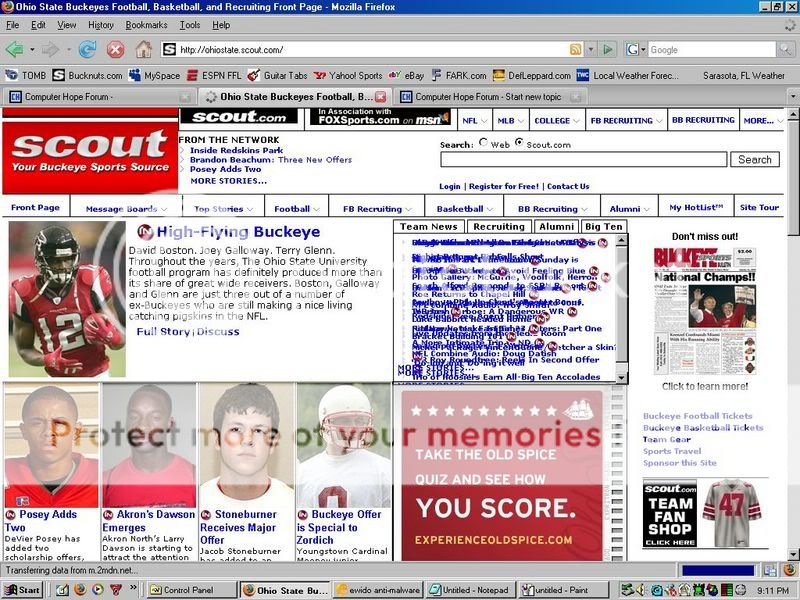
Here are some screen shots of the color problem...
http://i36.photobucket.com/albums/e38/esoph17/yss.jpg
This is of http://www.yahoo.com
http://i36.photobucket.com/albums/e38/esoph17/scoutss.jpg
This is of http://ohiostate.scout.com/
Hopefully that will give a good showing of the problem...
THANKS Again! Does the same thing happen in Internet Explorer? Perhaps you should look at the info here on Magnifier: Windows 2000 Accessibility Tutorials
|