|
Answer» <3
Uh, I was stupidly carrying my laptop upstairs with the battery pack resting on the KEYBOARD and it MUST have pressed some keys.
When I got upstairs EVERYTHING was super sized (that means not just font but icons, start bar, INTERNET explorer, images... everything)
So I started randomly pressing keys (because I'm stupid) and it managed to fix the larger things but INSTEAD make everything super small!
How do I fix this? Please HELP!
(Ps, it's not meerly the font or icon size!)
I use Windows XP on a Toshiba laptop model: Satelite Pro or something
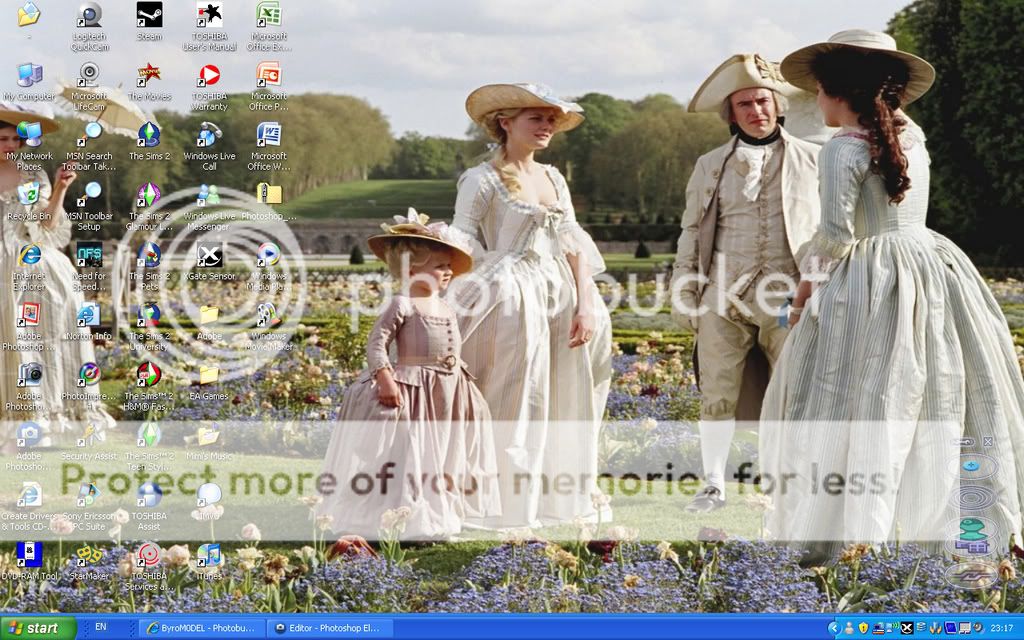
Uhhh. Here is what it used to look like and what it looks like now:
BEFORE:
http://i299.photobucket.com/albums/mm284/ByroM0DEL/anotherscreenshot-2.jpg
NOW:
http://i299.photobucket.com/albums/mm284/ByroM0DEL/messedupdesktop.jpg
Please help!
(Oh, and today I backed up all my files. I don't know if that has anything to do with it as this trouble was caused by pressing silly keys!)How to change screen resolution in Windows XP
|